eSim For Every Trip
Experience uninterrupted connectivity on your travels with our international eSIMs.
 Japan
 Thailand
 USA
 UK
 Europe
 Singapore
Fast 4G/5G data. Hotspot-enabled. Instant QR code by email.
Find the eSIM for your trip
Popular destinations
All 160 countries- JP
Japan
28 plans · up to 50GBKDDI + SoftBank · DocomoFrom$2.20 - TH
Thailand
10 plans · up to 50GBFrom$2.20 - US
United States of America
20 plans · up to 50GBFrom$2.20 - GB
United Kingdom
6 plans · up to 50GBOrangeFrom$6.60 - SG
Singapore
11 plans · up to 50GBT + CFrom$2.20 - KR
South Korea
19 plans · up to 50GBT + CFrom$2.20 - ID
Indonesia
20 plans · up to 50GBFrom$2.20 - VN
Vietnam
14 plans · up to 50GBFrom$3.30 - FR
France
6 plans · up to 50GBFrom$6.60 - IT
Italy
6 plans · up to 50GBOrangeFrom$6.60
Multi-country eSIMs
Visiting more than one country?
One regional eSIM covers every stop on your trip, with no SIM swaps at the border.
 107 countries Most flexible
Global
10 plans · up to 50GB up to 30 days
ADAEALAMARATAUAZBABDBEBGBHBLBRBYCACHCLCNCRCYCZDEDKDZECEEEGESFIFOFRGBGEGFGGGHGIGRHKHRHUIDIEILIMINIQISJEJPKEKGKHKRKWKZLALILKLTLULVMAMDMEMFMKMOMTMXMYNGNLNONZOMPEPHPKPLPRPTQARERORSRUSASESGSISKSMTHTJTNTRTWUAUSUYUZVAVIVNADAEALAMARATAUAZBABDBEBGBHBLBRBYCACHCLCNCRCYCZDEDKDZECEEEGESFIFOFRGBGEGFGGGHGIGRHKHRHUIDIEILIMINIQISJEJPKEKGKHKRKWKZLALILKLTLULVMAMDMEMFMKMOMTMXMYNGNLNONZOMPEPHPKPLPRPTQARERORSRUSASESGSISKSMTHTJTNTRTWUAUSUYUZVAVIVNFrom$5.50View plans 42 countries
Europe
10 plans · up to 50GB up to 30 days
ATBEBGBLCHCYCZDEDKEEESFIFOFRGBGRHRHUIEISITLILTLULVMDMFMTNLNOPLPTRORSRUSESISKSMTRUAVAATBEBGBLCHCYCZDEDKEEESFIFOFRGBGRHRHUIEISITLILTLULVMDMFMTNLNOPLPTRORSRUSESISKSMTRUAVAFrom$2.20View plans 12 countries
Asia
10 plans · up to 50GB up to 30 days
CNHKIDJPKRMOMYPHSGTHTWVNCNHKIDJPKRMOMYPHSGTHTWVNFrom$2.20View plans 5 countries
Southeast Asia
10 plans · up to 50GB up to 30 days
SGMYTHVNIDFrom$2.20View plans 3 countries
North America
10 plans · up to 50GB up to 30 days
USCAMXFrom$4.40View plans 8 countries
South America
10 plans · up to 50GB up to 30 days
ARBRCLCOCRECPEUYARBRCLCOCRECPEUYFrom$5.50View plans 33 countries
Caribbean & Americas
10 plans · up to 50GB up to 30 days
AGAIARBBBOBRBSCACLCOCRDOECGDGFGPGTHNJMKNKYLCMXNIPAPEPRPYSVTCUSUYVCAGAIARBBBOBRBSCACLCOCRDOECGDGFGPGTHNJMKNKYLCMXNIPAPEPRPYSVTCUSUYVCFrom$12.10View plans 18 countries
Middle East & Central Asia
10 plans · up to 50GB up to 30 days
AEAMAZBHEGGEILIQKGKWKZOMPKQASATJTRUZAEAMAZBHEGGEILIQKGKWKZOMPKQASATJTRUZFrom$5.50View plans 28 countries
Africa
6 plans · up to 50GB up to 30 days
BFBJBWCDCFCGCICMDZEGGAGHGNGWLRMAMGMLMUMZNGRESCSNTNTZZAZMBFBJBWCDCFCGCICMDZEGGAGHGNGWLRMAMGMLMUMZNGRESCSNTNTZZAZMFrom$14.92View plans 11 countries
Balkans
6 plans · up to 50GB up to 30 days
ALBABGGRHRMEMKRORSSITRALBABGGRHRMEMKRORSSITRFrom$6.60View plans 2 countries
Oceania
30 plans · up to 50GB up to 30 days
AUNZFrom$1.07View plans
 How it works
Online in 3 simple steps
No SIM shop, no paperwork. Set up your eSIM at home in a couple of minutes.
- 01
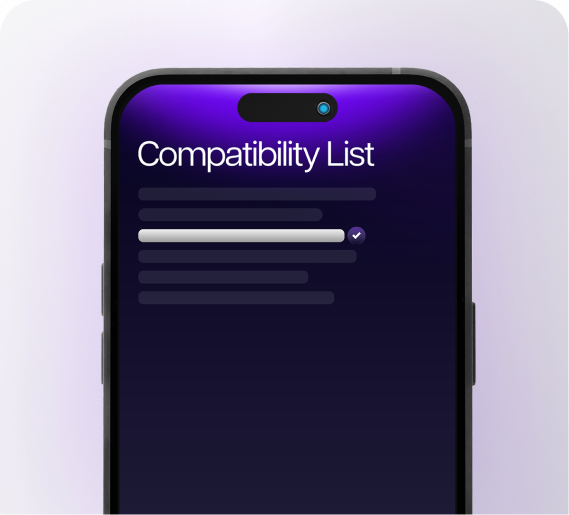
Check your phone
Most phones from 2019 onwards support eSIM. Look for “Add eSIM” in Settings → Mobile, and make sure your phone is unlocked.
- 02
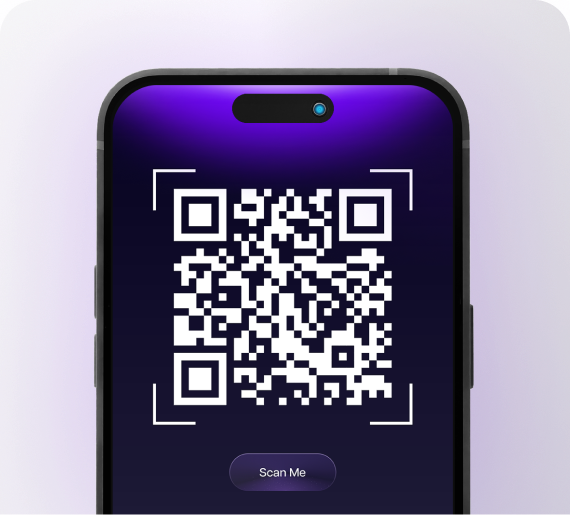
Buy & scan the QR code
Pick your destination and plan. Your QR code arrives by email straight away: scan it to install the eSIM before you fly.
- 03
Land & connect
When you arrive, switch on the eSIM and data roaming. You're online in seconds, with hotspot included.
Why eSIMStarThe only eSIM you'll ever need
Everything a travel SIM should be, without the plastic, the queues or the roaming bill.
9:415G
Your eSIM is readyScan the QR code to install · now
JapanKDDI + SoftBank · 30dACTIVE
7.4 GBleft of 10 GB
Personal Hotspot
Home SIMCalls & SMS
Roaming charges$0.00
My eSIMs+ any of 160
160 countries11 regional plansPlans from $1.07
 Testimonials
Don't trust us, trust their voice
What travellers say after staying connected abroad with eSIMStar.
Travelled with us?Review us on Trustpilot
5.0
“eSIMStar made my trip easy. Connected everywhere, no hassle!”
Japan · 10GB · 30 daysSSam
5.0
“Fantastic service! Quick setup and reliable connection.”
USA · 20GB · 30 daysAAlex
5.0
“Loved it! Worked perfectly across multiple countries.”
Europe · 10GB · 30 daysCChris
5.0
“eSIMStar made my trip easy. Connected everywhere, no hassle!”
Japan · 10GB · 30 daysSSam
5.0
“Fantastic service! Quick setup and reliable connection.”
USA · 20GB · 30 daysAAlex
5.0
“Loved it! Worked perfectly across multiple countries.”
Europe · 10GB · 30 daysCChris
5.0
“eSIMStar made my trip easy. Connected everywhere, no hassle!”
Japan · 10GB · 30 daysSSam
5.0
“Fantastic service! Quick setup and reliable connection.”
USA · 20GB · 30 daysAAlex
5.0
“Loved it! Worked perfectly across multiple countries.”
Europe · 10GB · 30 daysCChris
5.0
“eSIMStar made my trip easy. Connected everywhere, no hassle!”
Japan · 10GB · 30 daysSSam
5.0
“Fantastic service! Quick setup and reliable connection.”
USA · 20GB · 30 daysAAlex
5.0
“Loved it! Worked perfectly across multiple countries.”
Europe · 10GB · 30 daysCChris
5.0
“Super convenient. No more swapping SIM cards. Awesome!”
Thailand · 3GB · 15 daysTTaylor
5.0
“Easy to use and great connection everywhere I went.”
Global · 3GB · 15 daysJJordan
5.0
“Great experience! Seamless connection on my trip.”
Singapore · 3GB · 7 daysMMorgan
5.0
“Super convenient. No more swapping SIM cards. Awesome!”
Thailand · 3GB · 15 daysTTaylor
5.0
“Easy to use and great connection everywhere I went.”
Global · 3GB · 15 daysJJordan
5.0
“Great experience! Seamless connection on my trip.”
Singapore · 3GB · 7 daysMMorgan
5.0
“Super convenient. No more swapping SIM cards. Awesome!”
Thailand · 3GB · 15 daysTTaylor
5.0
“Easy to use and great connection everywhere I went.”
Global · 3GB · 15 daysJJordan
5.0
“Great experience! Seamless connection on my trip.”
Singapore · 3GB · 7 daysMMorgan
5.0
“Super convenient. No more swapping SIM cards. Awesome!”
Thailand · 3GB · 15 daysTTaylor
5.0
“Easy to use and great connection everywhere I went.”
Global · 3GB · 15 daysJJordan
5.0
“Great experience! Seamless connection on my trip.”
Singapore · 3GB · 7 daysMMorgan
Help centre
Frequently asked questions
About eSIM
What an eSIM is and whether your phone supports one.
An eSIM is a digital SIM built into your phone. Instead of inserting a plastic card, you scan a QR code and the mobile plan downloads to your device in a minute or two.
Your phone can hold several eSIMs alongside your normal SIM, so you can add a travel data plan without touching your home number.
Most phones released since 2019 support eSIM, including iPhone XS/XR and newer, Google Pixel 3 and newer, and Samsung Galaxy S20 and newer, plus many iPads and tablets.
To check, open Settings and look for “Add eSIM” under Mobile (iPhone) or SIM manager (Android). Your phone also needs to be carrier-unlocked.
No. Leave your home SIM in place. The eSIM is added as a second line, and you simply choose which line to use for mobile data while you travel.
Our eSIMs are data-only, so there's no local number or SMS. Anything that runs over data works as normal: WhatsApp, iMessage, FaceTime, Messenger and other calling apps.
Keep your home SIM switched on if you need calls or SMS codes, with its data roaming turned off to avoid your carrier's charges.
Ordering & payment
Choosing a plan, paying and getting your QR code.
Search for your destination, pick a plan that fits your trip (data and days), and check out. Travelling to several countries? A regional or Global plan covers them all with one eSIM.
Your QR code and installation instructions are emailed to you straight after payment.
Usually within a minute or two of checkout, by email. If it hasn't arrived after 15 minutes, check your spam or promotions folder, then email [email protected] with your order number.
You can pay by credit or debit card, Apple Pay and Google Pay. Payments are processed securely by Stripe; we never see or store your full card details.
Prices on the site are shown excluding GST. GST is added at checkout where it applies, so you'll see the full total before you pay.
Yes, and we recommend it. You have 90 days from purchase to start using your eSIM, so you can buy and install it at home, then switch it on when you land.
Installing & activating
Getting the eSIM onto your phone and online.
Install it at home before you fly, while you're on Wi-Fi. Then keep the eSIM line switched off until you arrive, so your plan doesn't start early.
Go to Settings → Mobile (or Cellular) → Add eSIM → Use QR Code, and scan the code from our email on another screen or a printout. On recent iOS versions you can also long-press the QR image in Mail.
When you land, choose the eSIM for Mobile Data and turn on Data Roaming for that line.
Go to Settings → Connections (or Network & internet) → SIM manager → Add eSIM, and scan the QR code. Menu names vary by brand.
When you land, set the eSIM as your mobile data SIM and turn on roaming for it.
Not when you buy it: you have 90 days to start using it. The plan's days begin once the eSIM first connects to a network, so keep the line turned off until you arrive and none of your plan is used up before your trip.
Using your eSIM
Data, hotspot and running out mid-trip.
Yes. Hotspot is included, so you can share data with a laptop, tablet or travel companion.
Your phone tracks it per line: on iPhone go to Settings → Mobile and look under your eSIM; on Android check Settings → Network → Data usage and select the eSIM.
It depends on the plan, and it's shown on each plan card. Most plans keep you connected at a reduced speed (for example 128 kbps) until the plan ends; some smaller plans stop when the data is used.
Need more? Buy another plan for the same destination.
Country plans work in that country only. Regional plans (such as Europe or Asia) and the Global plan work across every country they list, switching networks automatically as you cross borders.
Troubleshooting
Quick fixes if something isn't working.
Check three things: the eSIM is selected for mobile data, data roaming is on for the eSIM line, and you're in a country your plan covers.
Then restart your phone or toggle Airplane mode on and off. If it still won't connect, set the APN shown in your eSIM email under the eSIM's mobile data settings.
Give it a couple of minutes to find a network, then toggle Airplane mode. If nothing changes, turn off automatic network selection and pick a network manually from the list.
Scan it from a different screen or a printed copy, with the brightness up. On iPhone you can also long-press the QR image in Mail to add the eSIM directly.
Most eSIM profiles can only be installed once, so please don't try to rescan it. Email [email protected] with your order number and we'll help.
You may have used your high-speed allowance and dropped to the reduced speed. Otherwise, try selecting a different network manually, or move somewhere with better coverage.
Refunds & support
Our refund policy and how to reach us.
Because eSIMs are digital products, sales are final once the eSIM has been delivered or activated, except where consumer law requires otherwise (see our Terms).
If your eSIM doesn't work, contact us before buying another one and we'll help sort it out.
Email [email protected] or use the contact form. Include your order number and a screenshot if something isn't working.
Still need help?
Send us your order number and a screenshot, and our team will help by email.